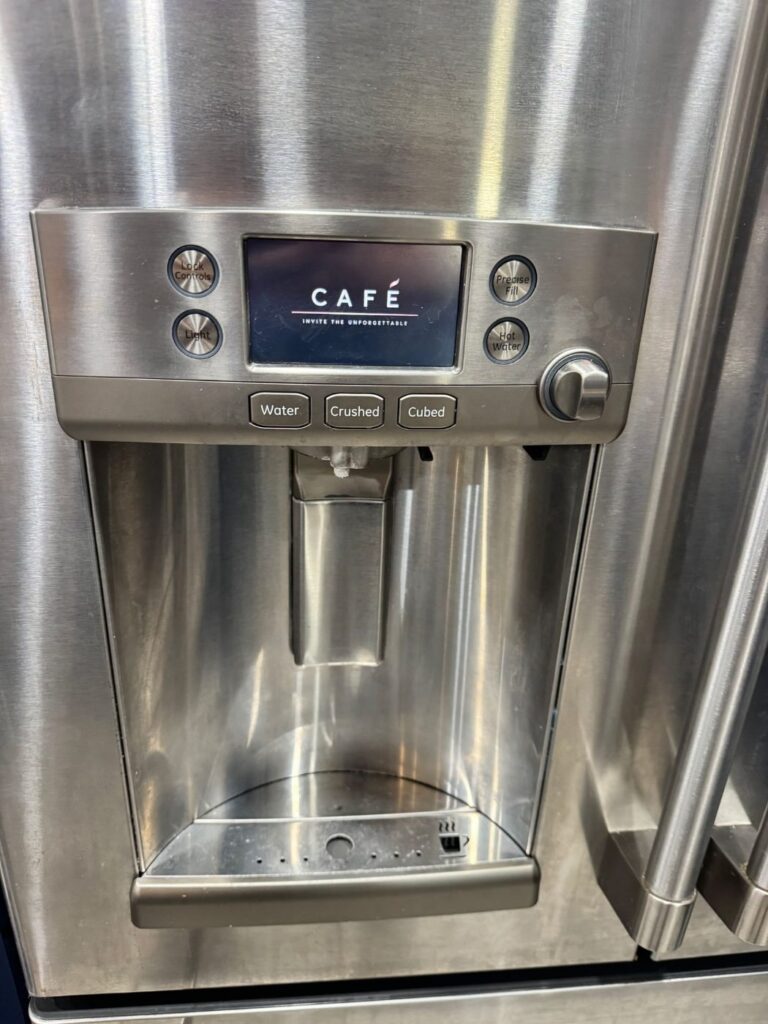
You just installed a beautiful GE Cafe refrigerator in your Tampa kitchen, you open the SmartHQ app to set up alerts and remote control, and the app cannot find it or the pairing keeps dropping. It is one of the most common frustrations on these smart fridges, and here is the good news: it is almost never a broken part. Nine times out of ten the cause is the WiFi band, the router security, or whether the fridge even has WiFi built in. This guide walks you through it in plain language, in the order that fixes the most cases first.
The number one cause: the 2.4 GHz band
The most common reason a Cafe will not pair is the WiFi band. SmartHQ refrigerators pair on the 2.4 GHz band only, not 5 GHz, and the catch is your phone: you have to keep your phone on the 2.4 GHz network the whole time during setup. A phone sitting on 5 GHz will not hold the pairing, and the app quietly fails.
The trap is that most modern routers and mesh systems broadcast both bands under one network name and steer your phone to 5 GHz without telling you. So the fix is to get your phone specifically onto the 2.4 GHz network for setup. On many routers you can temporarily split or rename the bands so a 2.4 GHz name shows up; on some phones you can forget the 5 GHz network for a minute so the phone drops to 2.4 GHz. One more gotcha: skip guest networks and any network with a sign in page, because the fridge cannot get through those.
- The only band SmartHQ pairs on
- Reaches farther and passes through cabinetry and walls
- Your phone must stay on it during setup
- Faster, but much shorter range
- Will not hold a SmartHQ pairing
- Often hidden inside a combined network name
Does the fridge even have WiFi

Before you chase the network, confirm the fridge can actually go online. Some GE models have WiFi built in, and others need an add on Connect Module before SmartHQ can see them at all. If the app never finds your Cafe, there may simply be nothing there to pair to yet.
Check your specific model for built in WiFi or the optional Connect Module, and if it needs the module, make sure it is installed. While you are there, find the connected appliance credentials label, usually inside the fresh food compartment or on the top hinge area. In SmartHQ you tap the plus sign to Add an Appliance and enter that information, so it helps to have it in hand before you start.
A WPA3 only router
A newer culprit is your router security mode. Some appliance WiFi radios cannot join a WPA3 only network, which is now the default on a lot of the latest routers and mesh systems, so the Cafe will not connect even when it is on the correct 2.4 GHz band. The fix is to set the router to WPA2 or WPA3 mixed mode, which lets the fridge connect with WPA2 while your newer phones and laptops still use WPA3. If you recently upgraded your router or added a mesh system, check this before anything else.
Password, signal, and a clean reset
If the band, the hardware, and the router security all check out, you are down to the everyday network basics. Re enter the WiFi password carefully, since a single wrong character is a surprisingly common cause. Make sure the signal actually reaches the fridge, because a Cafe tucked into cabinetry or far from the router can sit at the weak edge of your network. Then do a clean reset: power cycle the fridge, restart the router, and in SmartHQ remove the appliance and add it again to clear a stuck pairing. That combination clears most of the stubborn cases, and it is also a good moment to let the app install any pending firmware update.
Watch it done
GE Appliances has a short official walkthrough of the connection process that is worth two minutes before you start: GE Appliances: WiFi Connect (video). It shows the SmartHQ Add an Appliance flow and the credentials label so you know exactly what to look for.
Good news on your food
None of this affects cooling. The WiFi and SmartHQ features are a convenience for remote monitoring, alerts, and control, not a cooling function, so a Cafe that will not connect still keeps your food perfectly cold and runs normally. That also means there is no rush and no risk. Every step here is a safe network task, and nothing requires opening the fridge.
When it is worth calling a pro
You can handle all of the above yourself, it is network setup rather than appliance repair. If the fridge still will not pair after the band, hardware, router, password, and reset steps, the rare causes left are a firmware glitch or an actual WiFi module fault, and GE's connected home support can help with those. If you would rather someone in Tampa just handle it, or the fridge is showing other symptoms alongside the WiFi trouble, our team repairs GE Cafe and Profile refrigerators every week. See our refrigerator repair service, the Tampa area we cover, or reach out and tell us what your fridge is doing. We service all major brands, same day when you need us.
The bottom line
A GE Cafe refrigerator that will not connect to WiFi is almost always a network setup issue, not a broken fridge. Put your phone on the 2.4 GHz band and keep it there for setup, confirm your model has WiFi built in or the Connect Module installed, and set your router to WPA2 or WPA3 mixed mode. Then recheck the password and signal and do a clean reset if needed. Work the list in that order and most Cafe pairings go through, with your food staying cold the entire time.
Frequently asked
Why will my GE Cafe refrigerator not connect to WiFi? Most often the WiFi band. SmartHQ pairs on the 2.4 GHz band only, and your phone has to stay on the 2.4 GHz network the whole time, because many routers combine both bands and quietly push the phone to 5 GHz. The other common causes are a model without built in WiFi or a missing Connect Module, and a WPA3 only router the fridge cannot join. Put your phone on 2.4 GHz and confirm the WiFi hardware first.
Does the GE Cafe use 2.4 GHz or 5 GHz WiFi? It pairs and connects on 2.4 GHz only. The key during setup is keeping your phone on the 2.4 GHz network the whole time, because a phone on 5 GHz will not hold the pairing. Since many routers broadcast both bands under one name, you may need to temporarily split or rename the bands, or select the 2.4 GHz network on your phone, so the pairing sticks.
Does my GE Cafe refrigerator have built in WiFi? Some GE models have it built in and some need an add on Connect Module, so check your specific model. If SmartHQ never finds the fridge at all, the WiFi hardware may not be present or the module may not be installed, and there is nothing for the app to pair to. Confirm the hardware before you troubleshoot the network.
Can a WPA3 router stop my GE Cafe connecting? Yes. Some appliance radios cannot join a WPA3 only network, common on the newest routers and mesh systems, so the fridge will not connect even on the right 2.4 GHz band. Set the router to WPA2 or WPA3 mixed mode, which lets the fridge use WPA2 while your other devices still use WPA3.
Does WiFi trouble affect my GE Cafe cooling? No. WiFi and SmartHQ are a convenience for remote monitoring and alerts, not a cooling function, so a Cafe that will not connect still keeps your food cold and runs normally. WiFi pairing is a safe network task with no risk to the fridge, so there is no rush to sort it out.